

What Are Traffic Sources? Google Analytics For Beginners
Previously, we talked about the differences between Google Analytics users, sessions, and pageviews. Now, we’d like to discuss how you can use Google Analytics to determine your website’s traffic sources. Of all the data stored in Google Analytics, traffic source data is perhaps the most valueable.
How To See Where Your Website Traffic Comes From

View the Source/Medium Report under All Traffic
Look under the “Acquisition” section on the left, then select “All Traffic” and “Source/Medium to view a table showing:
- Traffic Source (who sent the traffic? Google, Bing, Facebook, etc.)
- Traffic Type (is it organic search traffic? traffic from an email newsletter?)
- Traffic Engagement Stats (time on site, pageviews per session, bounce rate)
- Ecommerce Stats, if applicable (conversion rate, average revenue per visitor, etc.)
Here’s a screenshot of the traffic report so you can see where all the data is located:
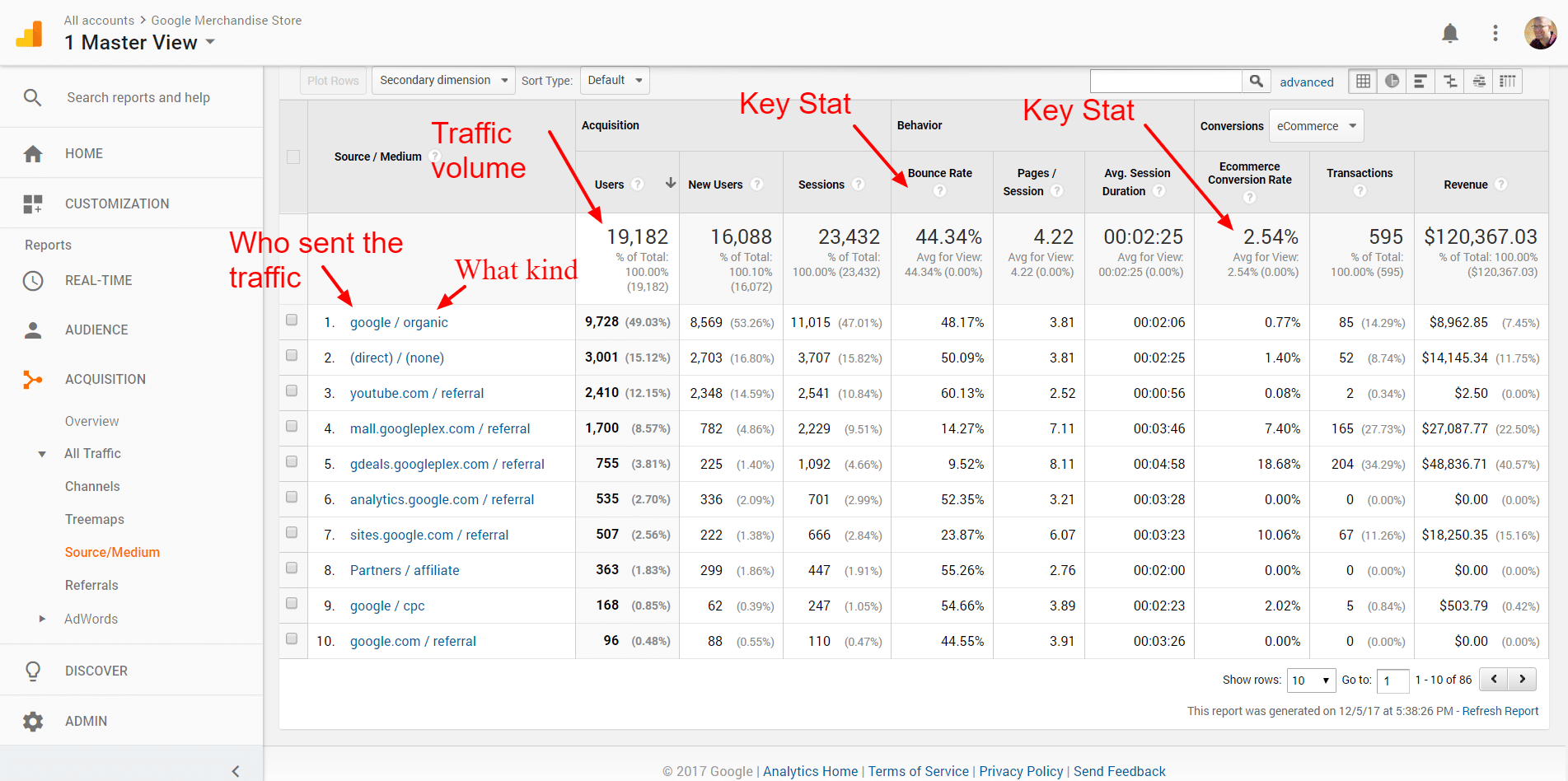
Where to find key traffic performance metrics
While this standard overview of traffic source and medium is very valuable, you can get even more specific.
What Are The Different Traffic Mediums?
The first column in the table shows the traffic source (who sent the traffic) and the traffic medium. Here’s a list of common traffic mediums, and what each represents.
Organic: This is usually traffic that comes to you from a search engine. Someone goes to Google, Bing, Yahoo, or perhaps Ask, searches for something, and then visits your site.
We say usually because, sometimes, pay-per-click ads that are running on Google or Bing or Yahoo will show up as organic traffic. If you’re running ads on Google or Bing, for example, and you’re not seeing that traffic in the report in a seperate row, than you may need to link Google Analytics to Adwords (or turn on Bing’s auto-tagging feature).
CPC: CPC stands for “cost per click,” and this is always going to be paid traffic from ads.
Referral: If a user on another website clicks on a link that takes them to your website, that is often counted as a referral. We say “often” because some websites/clients don’t share this data.
Direct: Direct visits come in a few different forms:
- Some people will type your domain name into their browser and press enter
- Some people might have bookmarked a page on your website and used that bookmark to return
- Sometimes, when Google doesn’t know what to do with a visitor, they’ll mark them as “direct”
It’s important to note that Google will often throw organic search traffic into the direct bucket. Many analysts have determined that more than half of direct traffic is actually organic search traffic, only this is obviously imprecise.
Suffice to say, direct traffic isn’t always direct traffic…
(not set): This is just what it sounds like – Google has no idea where this traffic came from. Sometimes, this is because of a technical error on your site. If you see a lot of (not set) traffic in your reporting, you probably have a tracking issue.
Getting Deeper Into The Traffic Report
Here are some cool things you can do with the traffic report:
1. See which landing pages get the most traffic by medium and/or source. First, at the top of the table, you can select your primary dimension as medium or source.
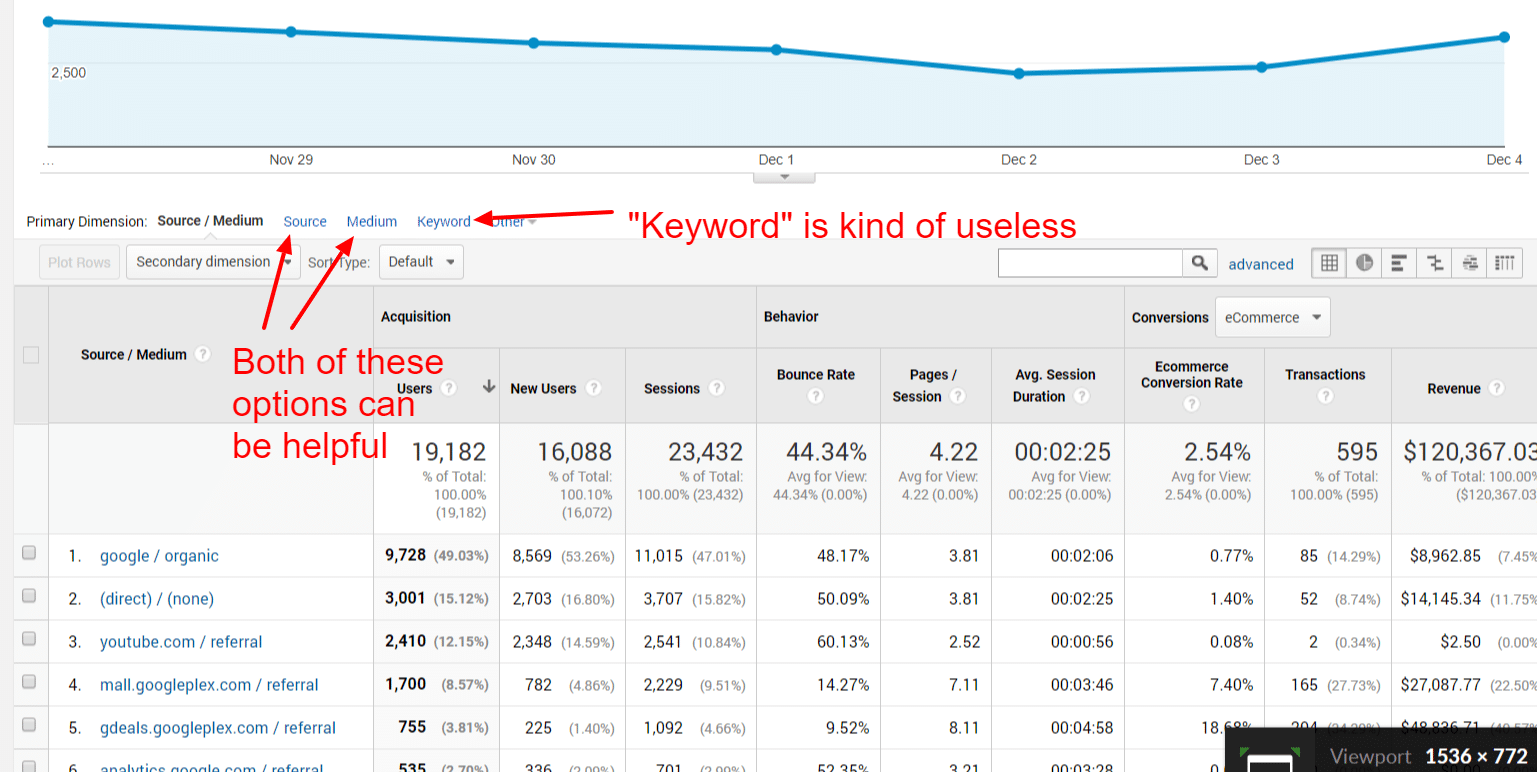
Select different primary dimensions to see data broken out different. Just don’t mess with the ‘keyword’ option.
NOTE: The keyword primary dimension is worthless. Most of the data shows (not set).
Then, after you select a primary source, you can set a secondary dimension.
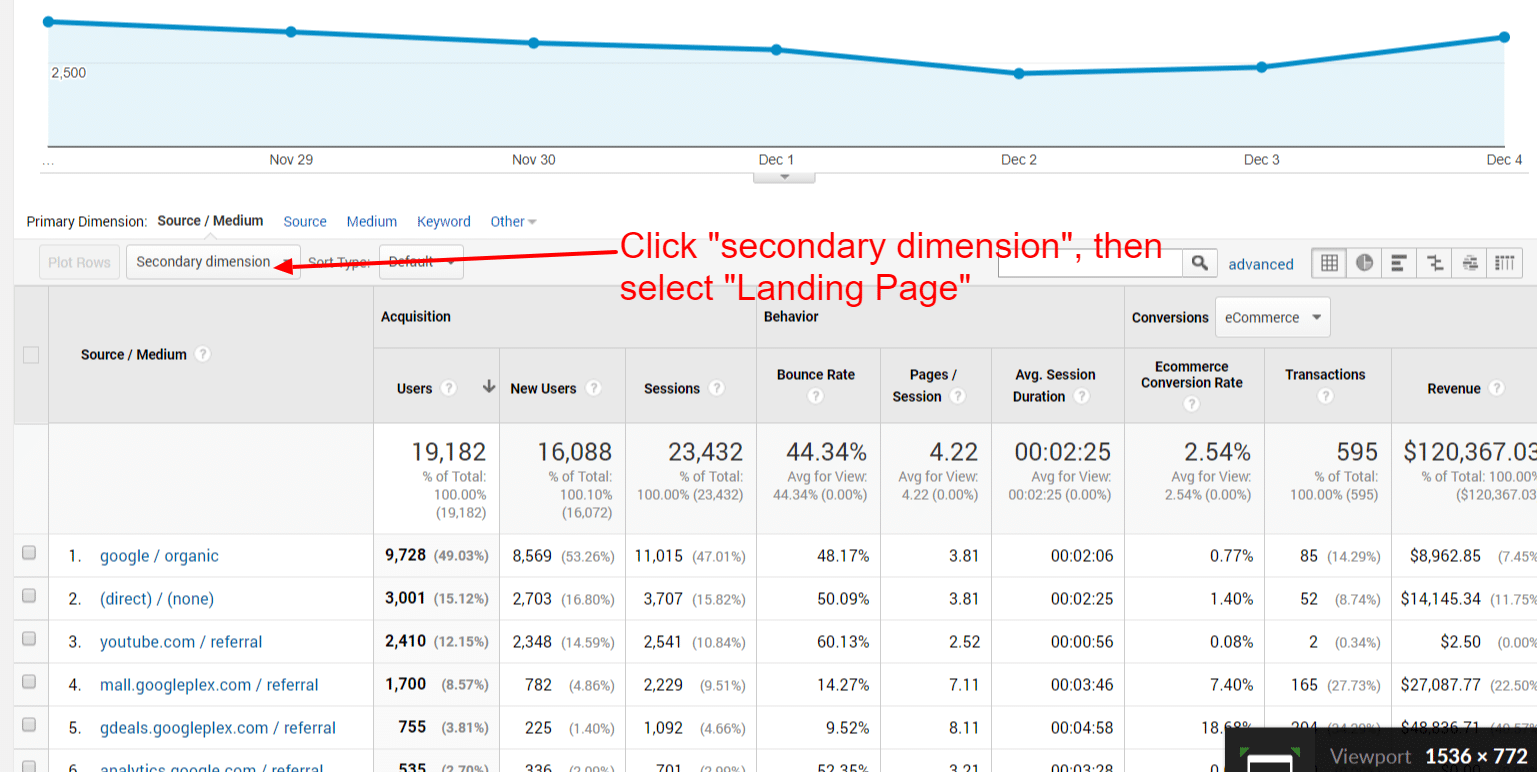
Select different secondary dimensions to get granular. “Landing Page” is a good secondary dimension to evaluate.
One report we often run is to set our primary dimension to “medium,” click on “organic,” and then add “landing page” as a secondary dimension. This gives us a list of the top organic traffic landing pages.
Of course, as you’ll see, there are literally dozens of possible secondary dimensions.
2. Estimate revenue per session by traffic medium and/or source. Just click on the ecommerce link up top (assuming you have ecommerce tracking setup) and you’ll see average revenue per session data. This is helpful when you’re buying advertising or arguing about ad budgets.
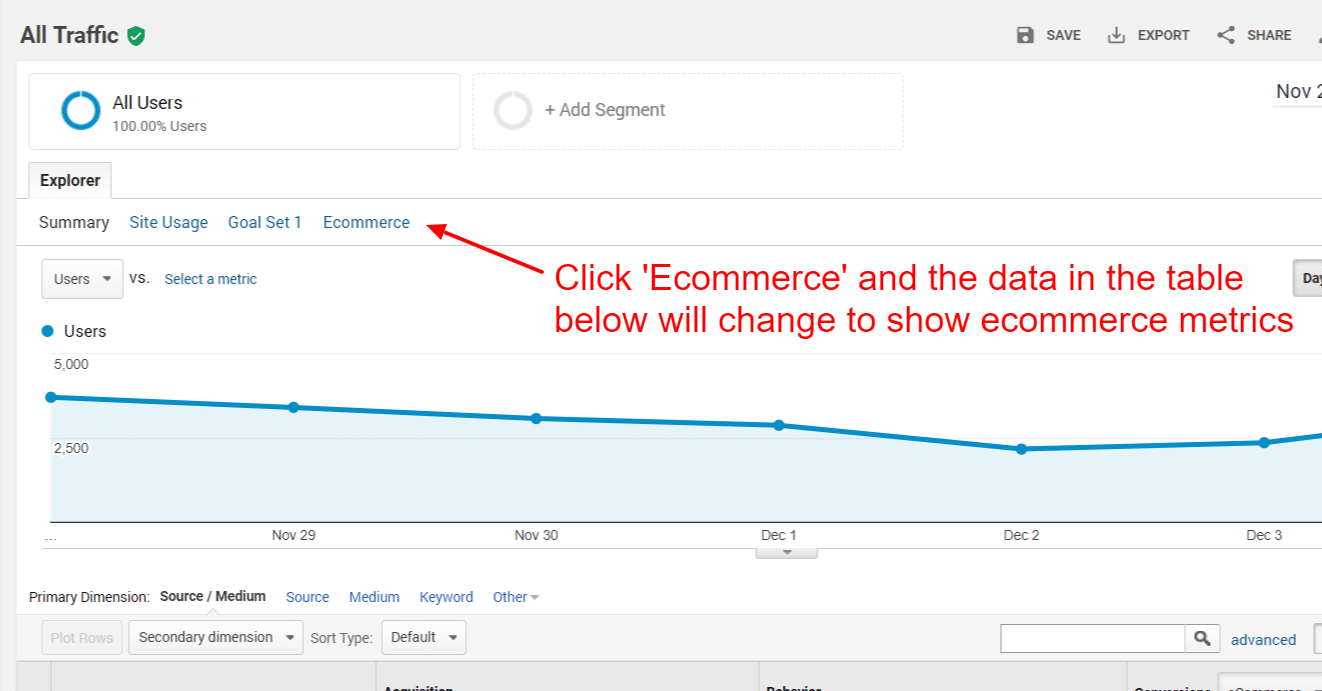
View ecommerce data by traffic medium and source, including average revenue per session.
3. See how much of any traffic medium or source is mobile, how much is iPhone, etc. You can use the ‘Secondary Dimension’ button to select “Mobile Device Info” or “Mobile (Including Tablet)”, then see how many of your Google search visitors are on a mobile device.
This can be very helpful when you’re evaluating paid traffic. If, for example, you see that you’re getting a lot of mobile traffic from AdWords, you can adjust your bids up or down based on how well that traffic converts. Same goes for tablet traffic.
Play Around With The Data – You Can’t Break Anything
As you can see, there are a lot of ways to parse the traffic data. While you can absolutely go too far and over analyze, it’s important to note that you can’t really break anything in Google Analytics. Unless you setup some crazy traffic filter (which is not discussed here), you can change primary and secondary dimensions until your eyes cross.
So, have at it. Just remember that when it’s all said and done, the purpose of analytics is to help you make informed, meaningful decisions. If your analysis is causing you to have doubts and freezing the decision-making process, you’re probably diving too deep.
More Content

One of the keys to selling auto parts and accessories online is trust. Trust comes from a strong brand, a nice-looking website, and lots of…
Read More
If you are creating a new website or reconsidering your existing domain name and hosting arrangement, this post is for you. We cover the basics…
Read More
Auto parts and accessories manufacturers and retailers that advertise need to understand return on ad spend (ROAS). In this three-minute video, Spork Marketing Founder Jason…
Read MoreSUBSCRIBE
We'll send you actionable parts and accessorries marketing articles every month - just sign up below.
